
Communication is vital in today’s digital world. Whether it’s texting, making calls or using the internet, mobile phones are an important part of our lives. At the heart of mobile communications is a small but powerful component known as the Subscriber Identity Module or SIM card. In this article, we’ll learn what a is SIM card, SIM Full Form, how it works, what are the different types, and what role it plays in mobile communications.
What is a SIM Card?
A Subscriber Identity Module (SIM Full Form) card is a small, removable chip used in mobile devices to authenticate the user on a mobile network. It stores essential information that enables you to make calls, send messages, and access the internet. The SIM card is typically made of plastic and has a microprocessor embedded in it, which allows it to perform various functions.
How Does a SIM Card Work?
The SIM card contains your unique identification information, which is essential for authenticating you on the network. It holds details such as your phone number, your carrier’s network information, and your account data. When you turn on your phone, it reads the information from the SIM card to connect to a cellular network for communication and network access.
Functions of a SIM Card
- Identifying the Subscriber: The primary function of a SIM card is to identify the user on the mobile network. Each SIM card has a unique International Mobile Subscriber Identity (IMSI) number that distinguishes it from others.
- Storing Personal Information: A SIM card can store personal information, such as contacts, text messages, and user settings. This allows users to switch devices while retaining their data.
- Enabling Secure Communication: SIM cards provide secure communication by encrypting data sent over the network. This protects users from unauthorized access and fraud.
- Accessing Mobile Services: A SIM card is required to access various mobile services, such as voice calls, text messaging, and mobile data.
Types of SIM Cards
SIM cards come in various types, each serving different needs based on device compatibility and functionality. Here’s a detailed look at the different types of SIM cards.

- Standard SIM: The largest of the SIM cards, now mostly outdated and replaced by smaller sizes.
- Micro SIM: Smaller than the Standard SIM, used in many older smartphones.
- Nano SIM: The smallest size, commonly used in modern smartphones due to its compactness.
- eSIM: An embedded SIM card that is built into the phone. It eliminates the need for a physical card and can be programmed remotely.
How to Insert a SIM Card
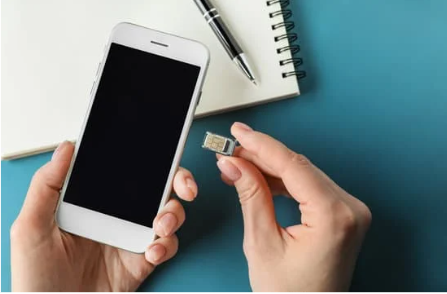
Inserting a Subscriber Identity Module (SIM Full Form) card into your mobile device is a straightforward process. Here’s a step-by-step guide to help you through it.
- Power Off Your Phone: good idea to turn off your phone to avoid any potential issues.
- Locate the SIM Card Slot: This is typically found on the side of the phone or under the battery cover.
- Remove the SIM Tray: Use a small tool or pin that comes with your phone to eject the SIM tray.
- Place the SIM Card: Position the SIM card in the tray according to the shape and size. The card will only fit one way.
- Reinsert the Tray: Put the tray back into the slot and ensure it is securely in place.
Benefits of Using a SIM Card
- Portability: You can easily switch your SIM card from one phone to another, allowing you to keep the same number and carrier services.
- Convenience: With a SIM card, you can easily change your mobile carrier or plan by simply swapping out the card.
- Security: SIM cards help protect your phone from unauthorized access and theft, as they contain encryption and authentication data.
eSIM vs. Physical SIM
With the rise of eSIM technology, many modern phones now use embedded SIM cards instead of physical ones. Here’s a quick comparison:
- eSIM: Offers greater flexibility as it can store multiple profiles and allows you to switch carriers without changing physical cards. It’s more convenient and saves space in your device.
- Physical SIM: Still widely used, especially in older phones and regions where eSIM technology is not yet available. It requires physical swapping when changing carriers or devices.
Common Issues with SIM Cards
- SIM Card Not Recognized: This issue can occur if the SIM card is not properly inserted, damaged, or if there is a network issue. Try reinserting the SIM card or contacting your carrier for assistance.
- No Signal: If you see “No Signal” on your phone, it may be due to a problem with the SIM card or network coverage. Ensure you are in an area with network reception.
- SIM Card Errors: Occasionally, you may see errors related to the SIM card. Restarting your phone or updating its software can often resolve these issues.
How to Manage Your SIM Card
- Keep it Safe: Handle your SIM card carefully to avoid damage. Store it in a safe place if you’re swapping it between devices.
- Backup Your Contacts: Many people store their contacts on their SIM card. Regularly back up your contacts to prevent data loss.
- Replace if Needed: If your SIM card is damaged or not functioning properly, contact your carrier for a replacement. They can provide a new SIM card with your existing number and data.
Conclusion
The Subscriber Identity Module (SIM) card is a vital component of mobile communication, allowing users to connect to networks, make calls, send messages, and access the internet. Understanding how SIM cards work, their types, and their role in communication helps users appreciate the technology behind their mobile devices. As technology continues to evolve, SIM cards will adapt to meet the demands of modern communication, ensuring secure and efficient connectivity for users worldwide.
Recommended Article
- API Full Form: What Is an API and Why Is It Important?

- SSH Full Form: What is Secure Shell and How Does It Work?
- SNMP Full Form: What is Simple Network Management Protocol?
- ARP Full Form: What is Address Resolution Protocol?
- UDP Full Form in Networking: Features, Functions, And Uses
- COPA Full Form: Computer Operator and Programming Assistant?
- HDMI Full Form? Types, Feature and How It Works
- IC Full Form: How Integrated Circuits Power Our Devices
- SAP Full Form And How It Benefits Modern Enterprises


- Top 20 Highest Salary Jobs : Lucrative Careers with Best Salaries - 5 April 2025
- Types of Operating System (OS): Features,Types And Uses - 5 April 2025
- 15 Features of Operating System You Should Know - 4 April 2025


